¶ Introduction to the Crew Module
In ProjectContexts nomenclature, a crew consists of a crew leader ( foreman/forewoman) and crew members that are managed by the crew leader. They could be made up of employees of the corporation and / or employees of another company ( e.g. “labour supply” company), and / or free lance individuals.
The crew leader is the only person within a crew that fills in a [crew] timesheet, typically on a dedicated tablet.
The module benefits construction companies, installing companies (e.g. piping, electical cabling, HVAC ducting etc.), servicing companies (e.g. municipal gas, water, etc.), others such as forestry, etc.
¶ Interface with ProjectContexts licenses
| ACTIVITY | REQUIRED LICENSE |
|
Team licensee |
Owner licensee |
Manager licensee |
Crew leader licensee |
|
| Crew timesheet | No | No | No | Yes |
| PMO Settings > Crew settings | No | No | Yes | No |
| Project > Crew settings | No | Yes, only if Project Manager | Yes | No |
| Project > Crew approvals | No | Yes, only if Project Manager | Yes | No |
¶ Getting started using Crew features
To get the Crew features set up and ready for use, these are the main steps:
- Initialize the Crew settings
- Assign Crew leaders
- Assign Crew members
- Create daily metrics
- Create work metrics
- Set up the project
- Activate crew features in the project
- Assign crew leaders to Project
- Initialize estimates per crew leader and per activity
- Assign work metrics at the project level
- Fill in the Crew timesheet
- Approve/Edit the Crew timesheets as a Project Manager
- Generate Crew reports
¶ Initialize the Crew settings
¶ Assign Crew leaders
Menu: PMO Settings > Crew settings > Crew leaders
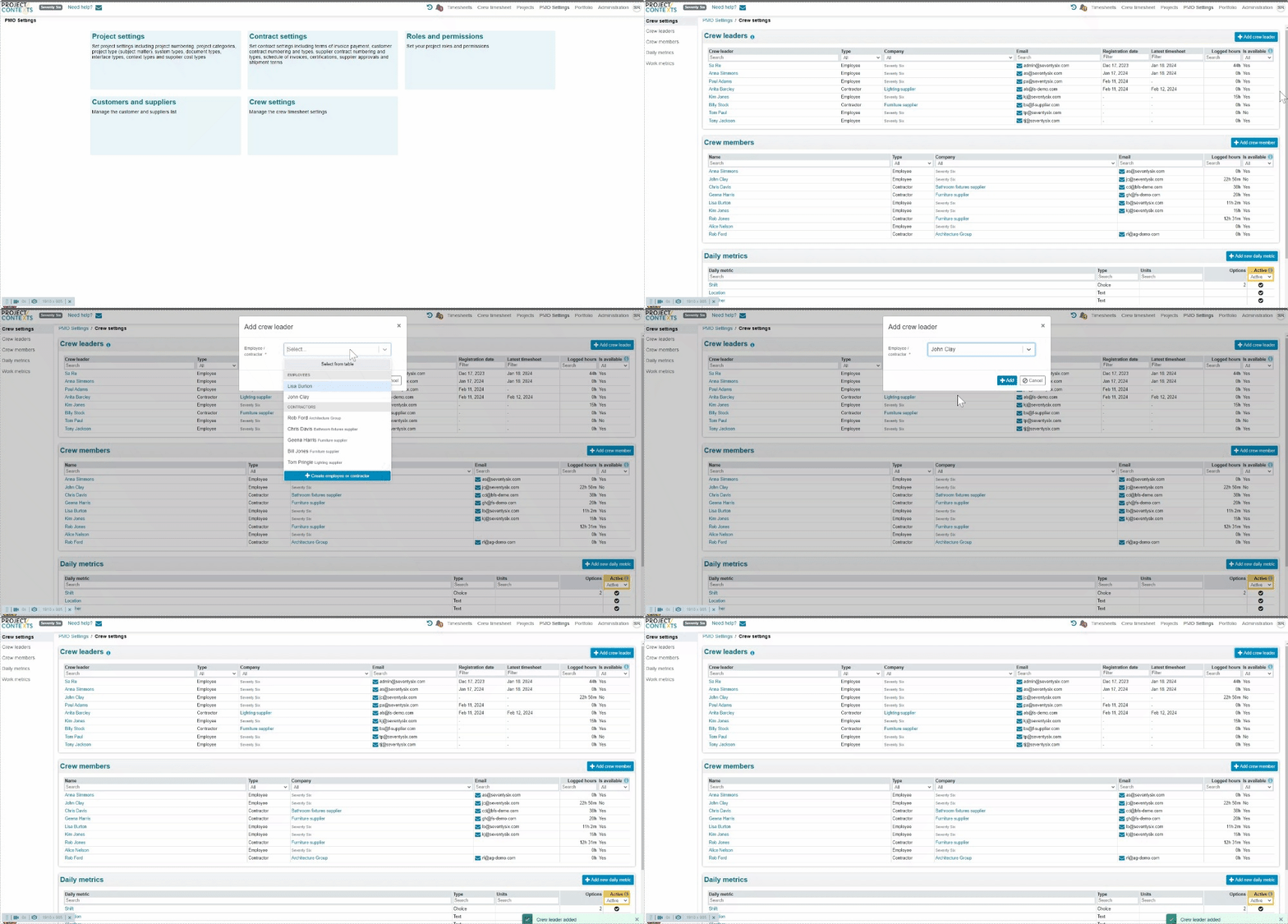
If you are assigning your current user as a Crew leader, you will need to log out and log in again for the new license to be effective
¶ Assign Crew members
Menu: PMO Settings > Crew settings > Crew members
(Note: “logged hours” is the total of all hours across all projects until today)
.gif)
¶ Create daily metrics
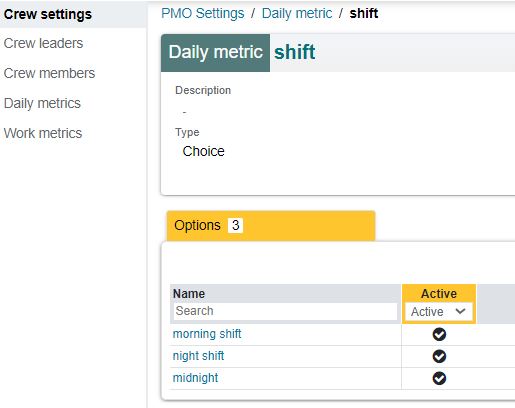
Menu: PMO Settings > Crew settings > Daily Metrics

¶ Work Metrics
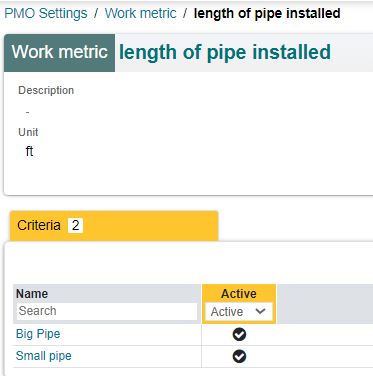
Menu: PMO Settings> Crew Settings>Work Metrics

¶ Set Up the Project
¶ Activate crew features in the project
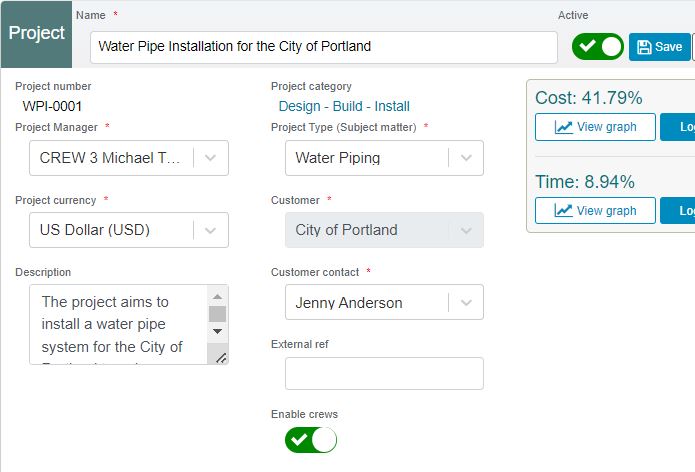
In the Project page, click “Edit”, “Enable crews” and “Save”
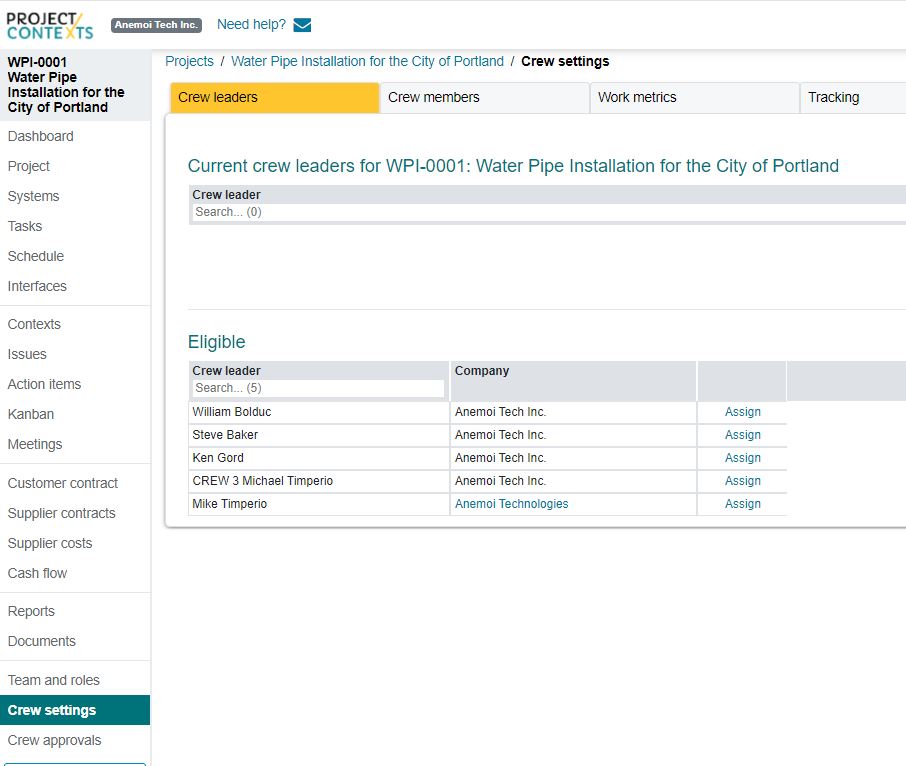
¶ Assign crew leaders to Project.
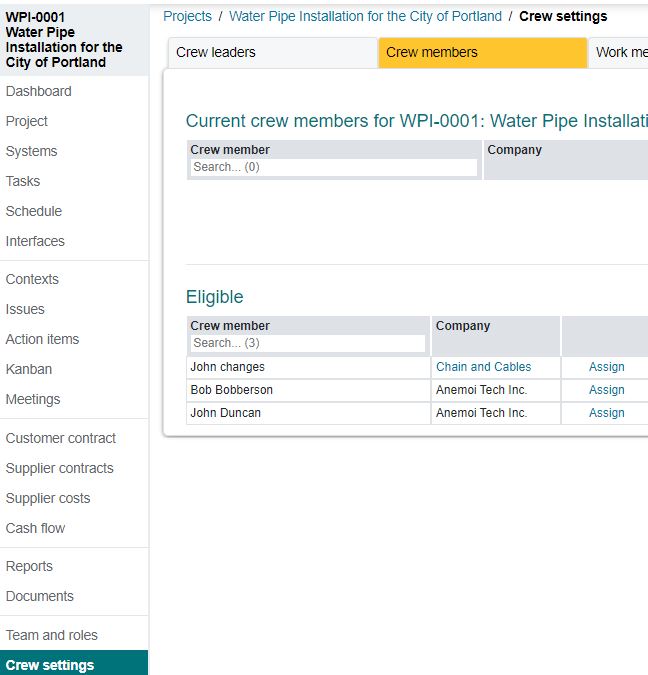
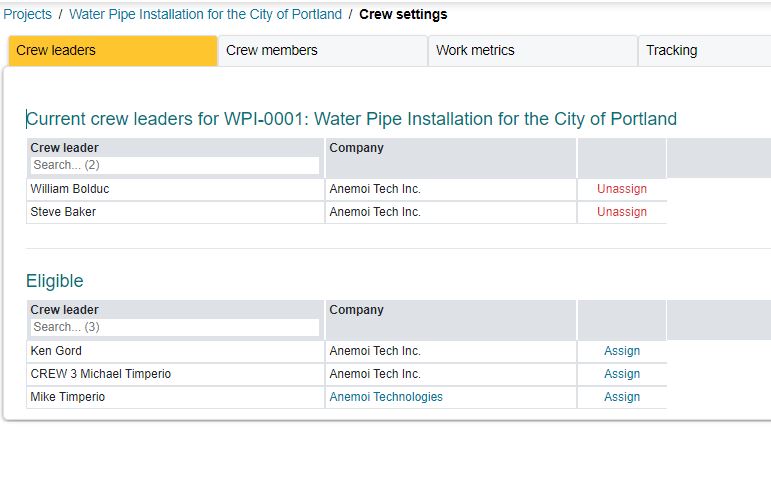
The crew leaders and members for a project are selected from those defined in the PMO settings. Note that they should be un-assigned when their specific assignment is completed so that they can be re-assigned to a next project, if any.
Assign:
Un-assign:

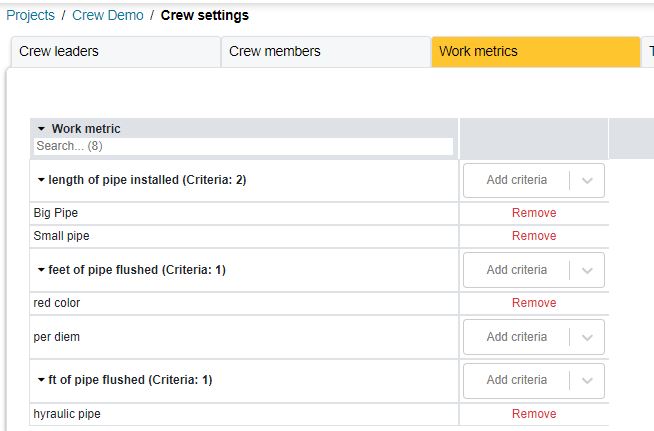
¶ Assign work metrics at the project level
¶ Setting up crew tracking
¶ Setting up crew hours tracking
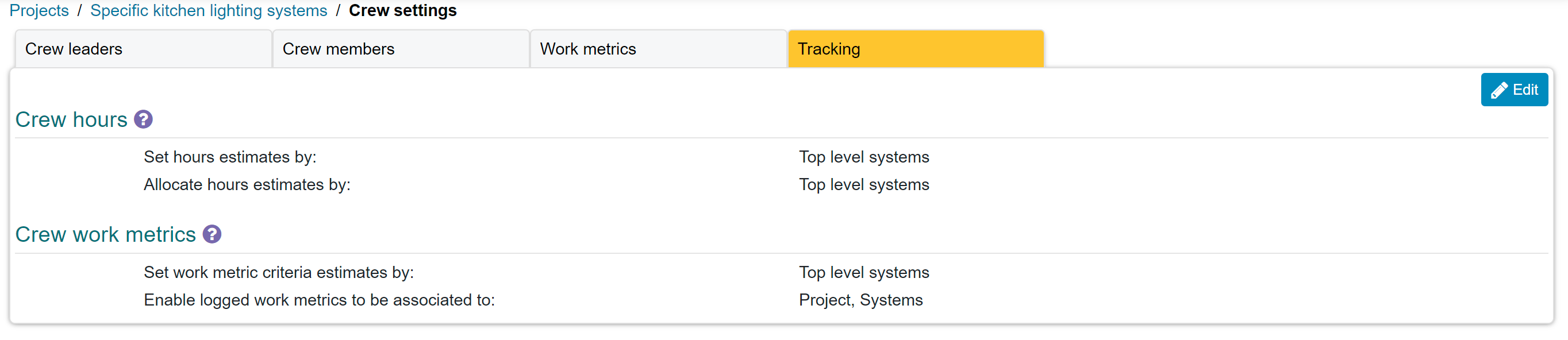
The crew hours sub section is to be used to set up the settings for tracking the crew hours.

¶ Set hours estimates by
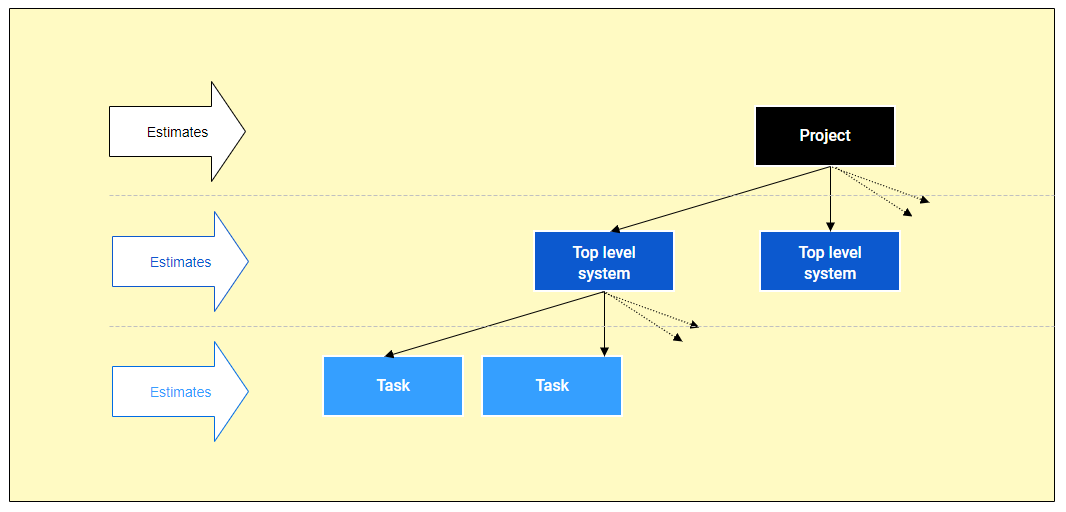
- Estimates can be set either at the Project, Top level systems or Tasks level as shown besides.
- Setting the estimates at the task level, allows for a more granular tracking of the crew hours' progress. It also requires estimates to be set at Task level.
- The higher the level at which estimates are, the less granular the tracking becomes.
¶ Aggregate hours estimates by
There are 2 options here:
- activity
- crew teams

¶ Setting aggregate hours by activity (Project/Top level systems/Tasks)
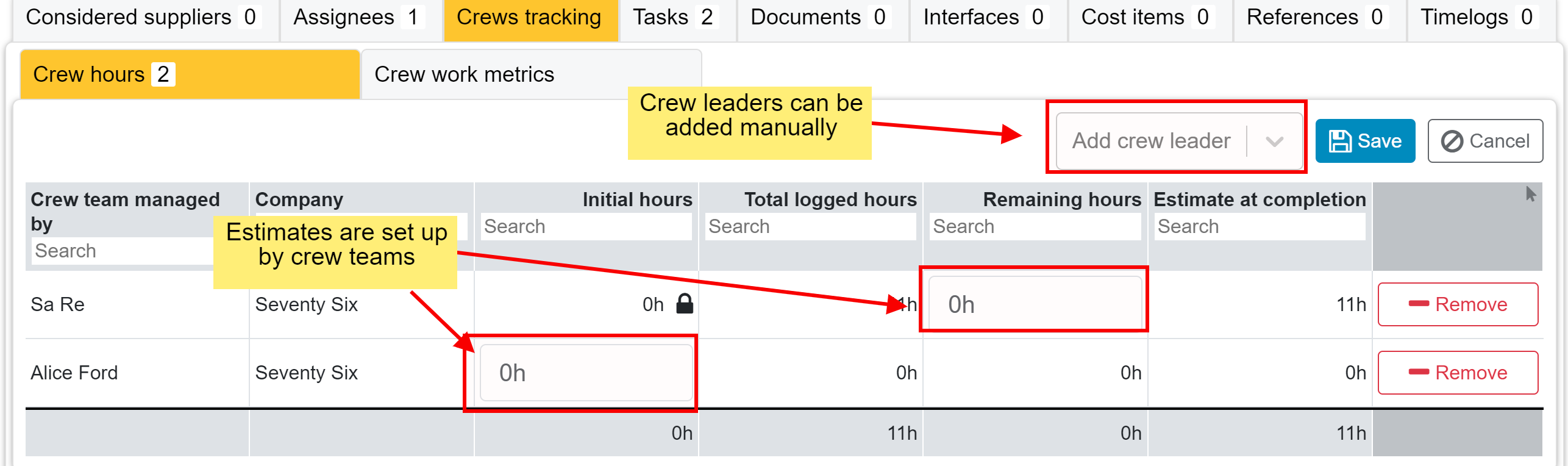
Selecting this setting will allow estimates to be set at the activity level. This setting is to be used when the crew teams can move around activities.
.png)
¶ Setting aggregate hours by crew teams
Selecting this setting will allow estimate to be set per crew team for the relevant activities.
¶ Setting up crew work metrics
This sub section is to set up how work metrics are going to be tracked.
¶ Set work metric criteria estimates by
- Estimates can be set either at the Project, Top level systems or Tasks level as shown besides.
- Setting the estimates at the task level, allows for a more granular tracking of the crew work metrics' progress. It also requires estimates to be set at Task level.
- The higher the level at which estimates are, the less granular the tracking becomes.
¶ Enable logged work metrics to be associated to
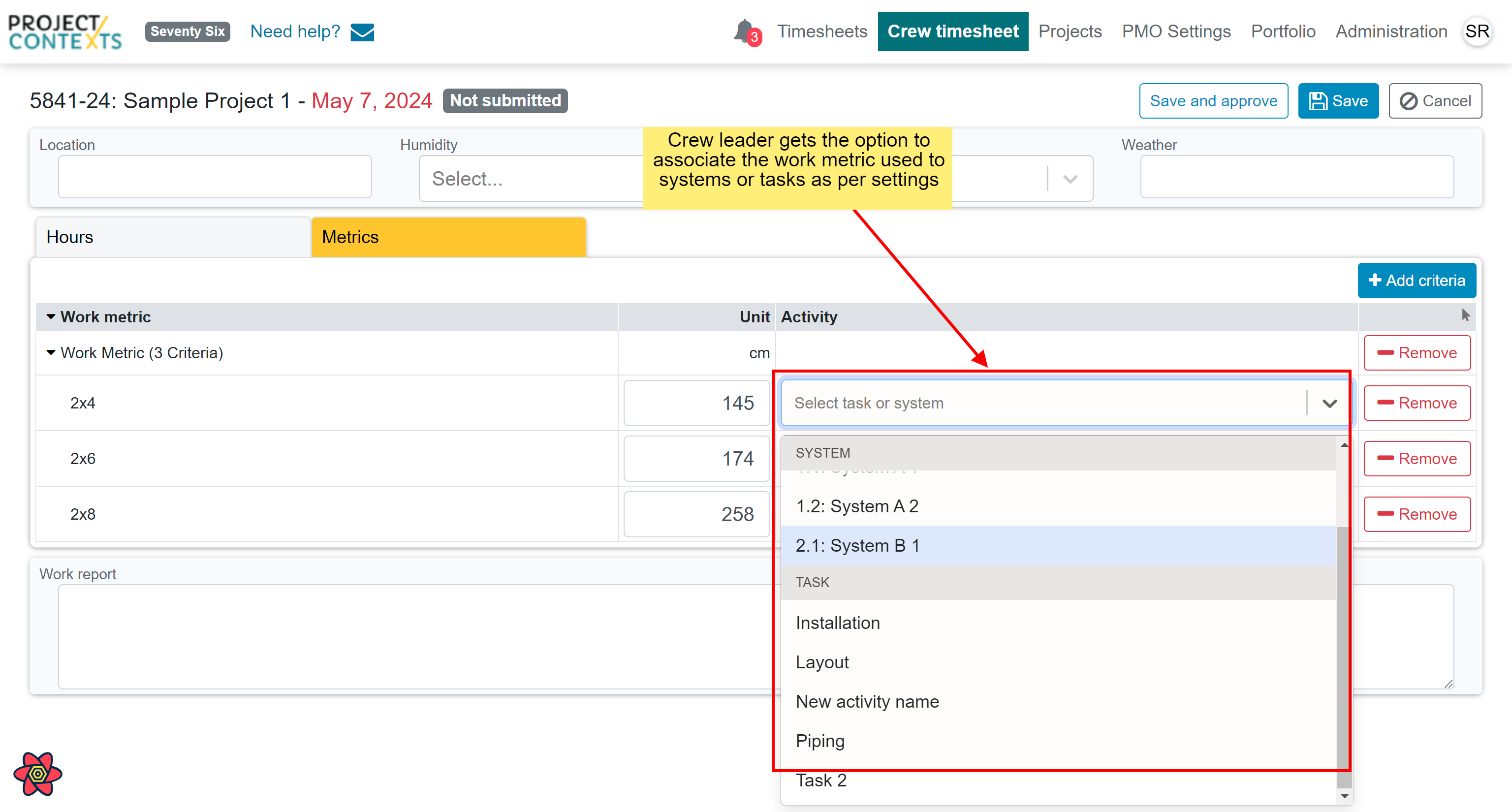
This setting is to be used if the crew leader needs to associate the work metrics to systems and/or tasks. By default, all work metrics are associated to the project itself, but in the case a more granular relation is required then this option must be set.
The result of setting this option is that the crew leader will get to choose systems and/or tasks while filling the crew timesheet.
¶ Tracking crew progress