¶ Systems and Contract Planning
¶ Interfaces
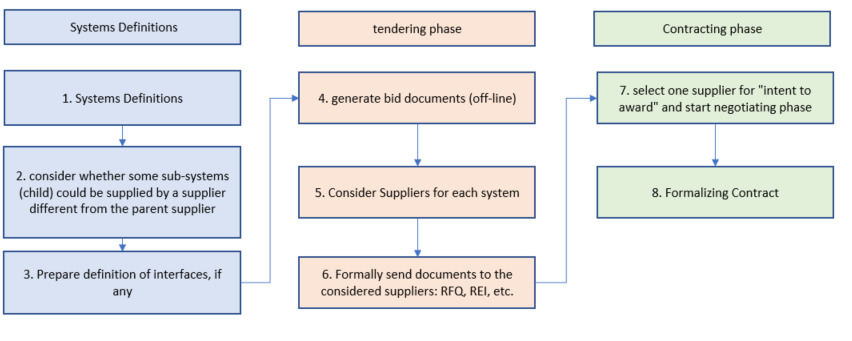
In theory, there is no limit to the number of systems that can be created. For example, A PM could be guided by the way the company's departments work together, etc.
The example used here is a fan as a system. One can think of several subsystems, such as the fan motor, the fan blades, the fan cooling system, etc. we can look at the overview either in the planning tree or in the systems menu.
Now assume that the project will subcontract the whole or part of the system. There may be contractual advantages in splitting up the “fan” system from a contractual point of view: it could result in a lower total cost, the PM may perceive that the company has more control over quality, etc. On the other hand, the PM might face more management burden, they will have to keep track of interfaces between all the subsystems, etc.
A detailed description of ProjectContexts interface elements are desrcribed in the Interface section.
¶ Considered Suppliers
¶ Supplier Approval
Project Contexts allows several classifications of approval in the administration settings menu.
¶ Supplier Selection
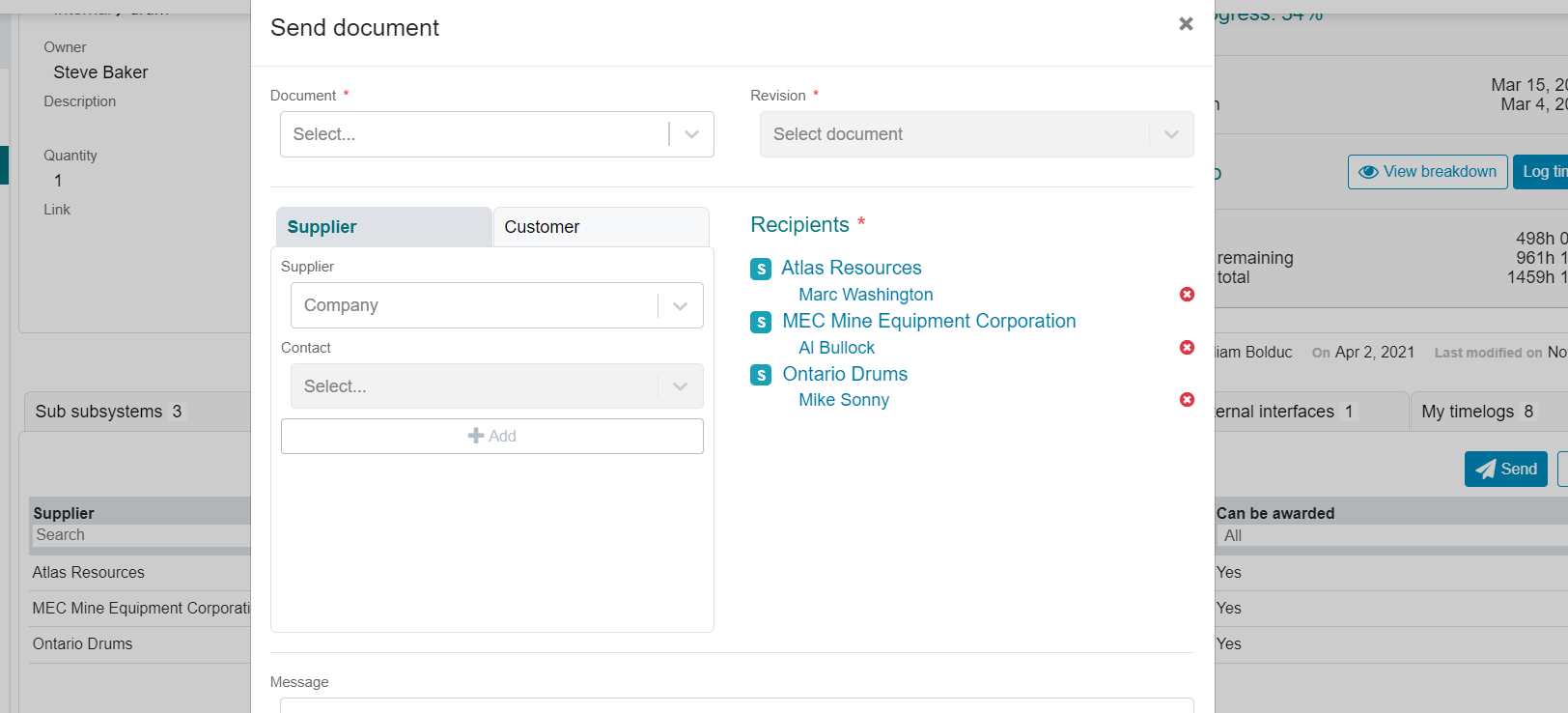
In the system tab menu, “considered suppliers”, we may consider suppliers to bid on systems or subsystems, as selected in the planning tree.

In this tab, we can select suppliers from the Customers and Suppliers table (see top menu).

The “Send” button transfers the suppliers to the document menu, from where they will be emailed to the relevant documents.
The "send document " form is prepopulated with the considered suppliers, and the transmittal details are logged in the transmittal log.
¶ Intent to award a contract
Intent to award a contract is posted on the systems page. The posting of the intent is to make sure that all the stakeholders are made aware of this intention and can provide feedback.