Note: PMO stands for Project Management Office, alternatively it is also used for Project Manager Officer. Project Managers report to a PMO
The (top) Administration Menu includes settings that allow ProjectContexts to follow formal or implied company policies.
¶ Corporate Administration
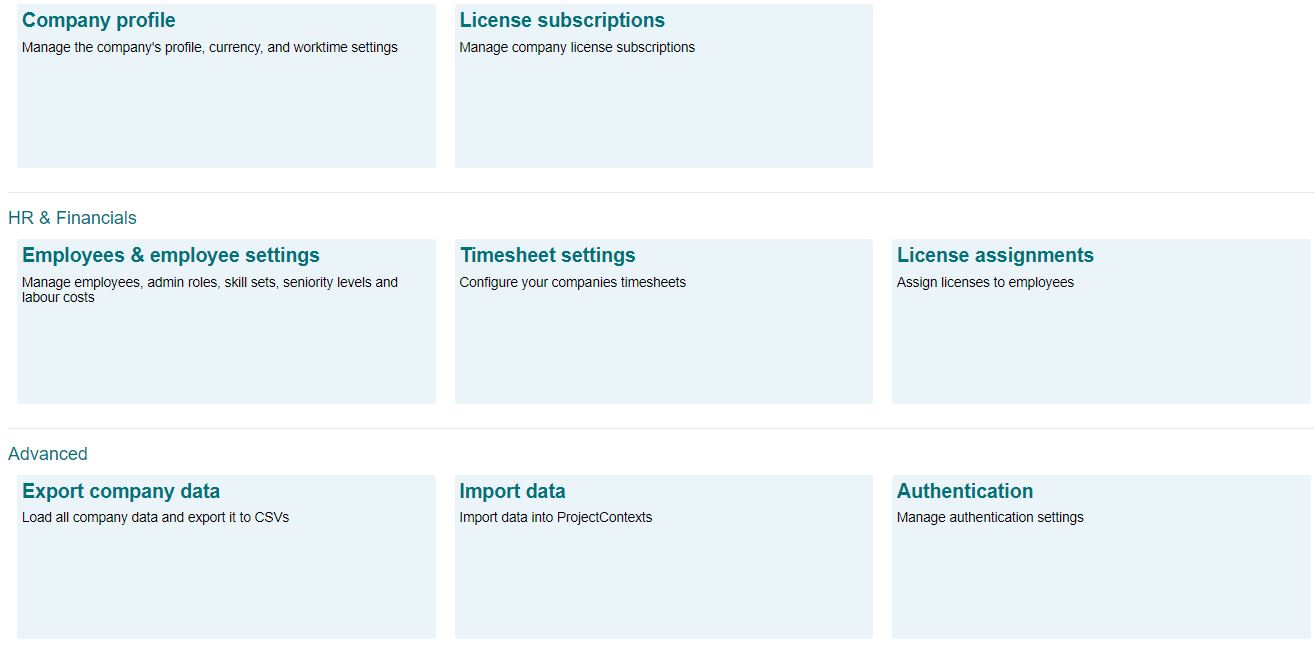
¶ Company Profile
To edit your company profile, proceed to the Administration/company profile:

¶ Currencies
ProjectContexts tracks three different currency types
- Accounting currency typically is the currency used for the company’s (or the division’s) financial reporting statements
- Contract currency typically is the currency specified in a Customer’s contract
- Supplier Currency (not used very often) could be a currency specified for a supplier contract
ProjectContexts has automated regular currency exchange updates for the majority of global currencies.
¶ Working Time
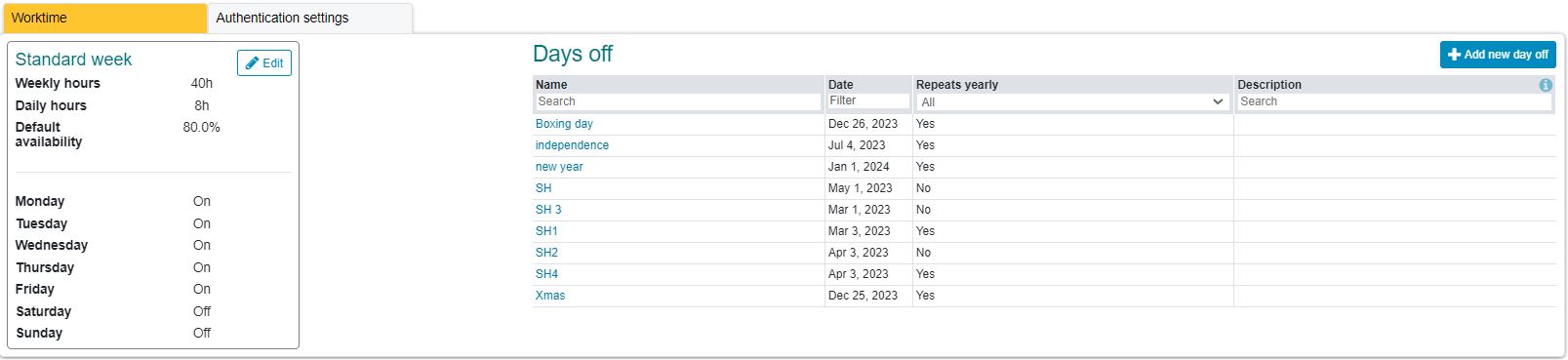
¶ Availability of employees set at corporate level
In many companies, team members are tasked with more than project tasks. For example, the company may schedule general training sessions, maybe team members may be asked to join marketing efforts; there is potential sick leave, etc.
Note that ProjectContexts does not identify individual vacation leave. We believe doing so is too theoretical, as mny people may not yet know 4 or 5 months ahead of time when they will take vacation.
The effect of that vacation could be added as a component (non)- availabity. Conversely if the company itself declares a fixed vacation period, then those days could be added to the “days-off” calendar.
Note that the availability is a default value. There are opportunities wihin a defined project or task, system, issue, etc. to redefine individual team member availability.
The concept of availability is used in the Enterprise version to semi-automate the scheduling of resources across projects.
¶ Employees

The column headings above are described below.
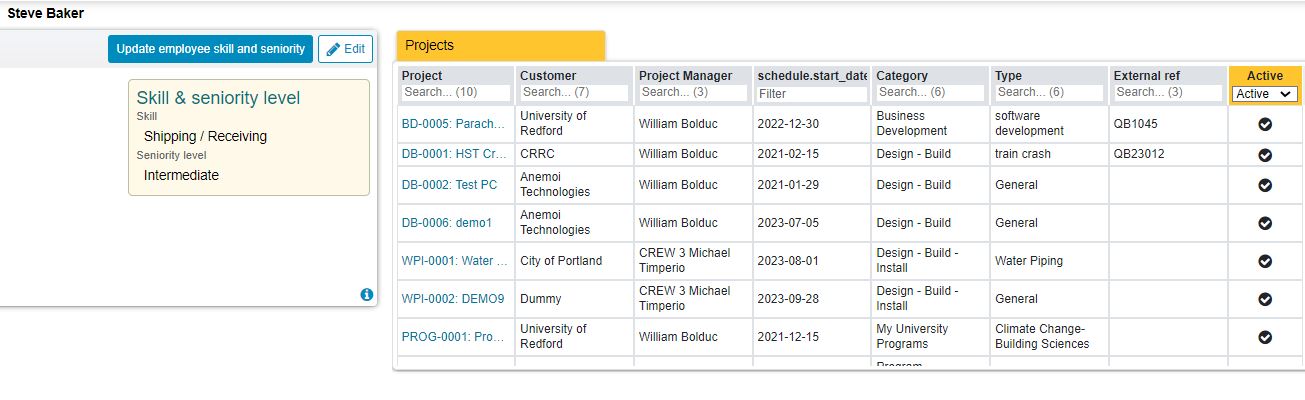
It is noteworthy that clicking on the employee name generates a list of the projects that the employee is a member of.
¶ Time Sheet Settings
¶ General settings
The settings define the start of the workweek, maximum days to approve the timesheet, and minimum workweek (hours). The latter provides a warning (only) if that minimum is not reached.
¶ Other Activities
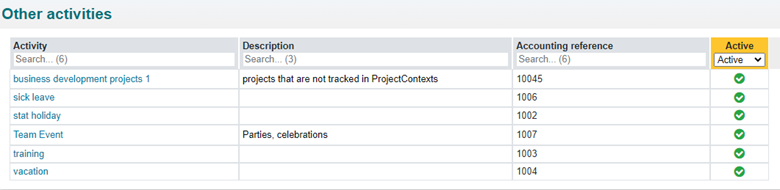
Typically accounting systems require a “project number” to allocate time to. In case where it is necessary, ProjectContexts includes a utility to export time data in a CSV format.
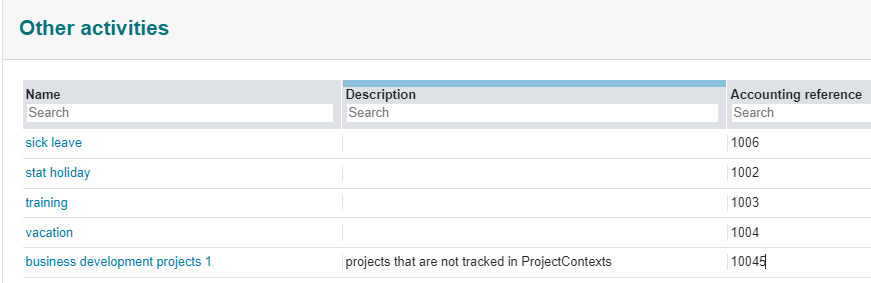
To avoid the necessity for the ProjectContexts User to use two timesheet platforms, “Other Activities”, that are not project related, can be [custom] defined as well
¶ Time Classifications
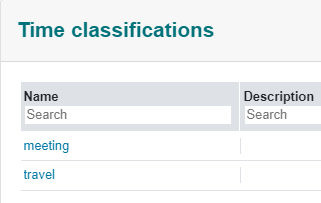
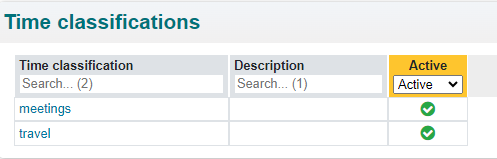
As an option, the User can classify the time. For example, at a toimesheet sign-off a Customer may not want to pay for travel time, but the employee still has to show the time (for payroll)
¶ License Administration
Detail feautures and comparisons between licenses are kept current on the main website.
¶ Functional Nominations and Authorities
To ensure Traceability and Continuity, we need to assume some top-down functional nominations and authorities in the company.
The company can directly designate employees to these functions, through the CA
| Function | Description | Required License | |
| CA | Company Administrator | Administrative Liaison between the Company and ProjectContexts | Admin or manager |
| AA | Accounting Administrator | Liaison between the Company's accounting department and ProjectContexts | Admin or Manager |
| PMO | Project Management Office/Officer | Management Liaison between the Company and the Projects | Manager |
By default, the CA is the first ProjectContexts' Admin license holder. To preserve continuity, we recommend that the initial CA should nominate an additional CA or PMO as soon as possible.
The CA admin role cannot be deleted. In addition to the CA the company can assign two other admin roles, but typically only one additional is sufficient (AA)
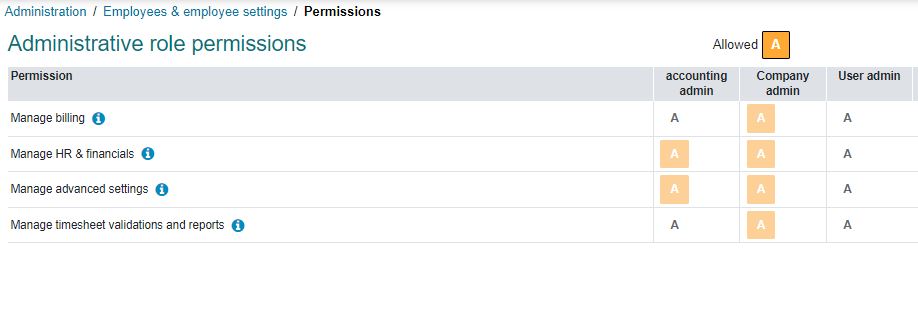
Admin roles can be custom defined in the Administration / Employee settings, except for the company admin role.

“Edit role permissions” allows detail customization. If the User desires additional role permissions, please contact ProjectContexts User Support.
The role permissions for the CA are fixed, while the permissions for any other admin role can be edited.

¶ Typical functions of the CA are:
- Corporate Settings
- Administration of ProjectContexts licensing
- nominate and track employees for CA, AA, and PMO
¶ Typical functions of the AA are:
- check timesheets compliance
- export timesheet data to the accounting system
- Import (or manually define) employees, Customers, and Suppliers, etc.
¶ Typical Functions of the PMO are:
PMO is the Project Manager Office or Project Manager Officer, they can act without being nominated for the function as a CA or a AA. The PMO essentially is the real or virtual entity that coordinates all projects. Only the PMO can assign a Project Manager. The PMO can view and override all actions taken in any project.
The PMO must approve the timesheets of Project Managers
¶ Employee Skill Set and Seniority
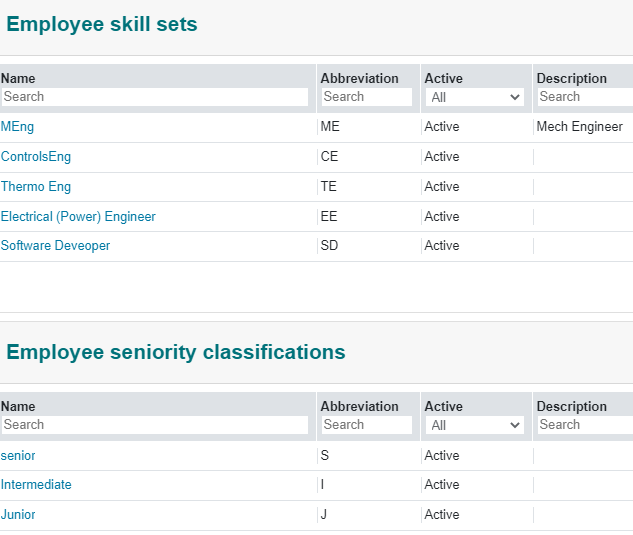
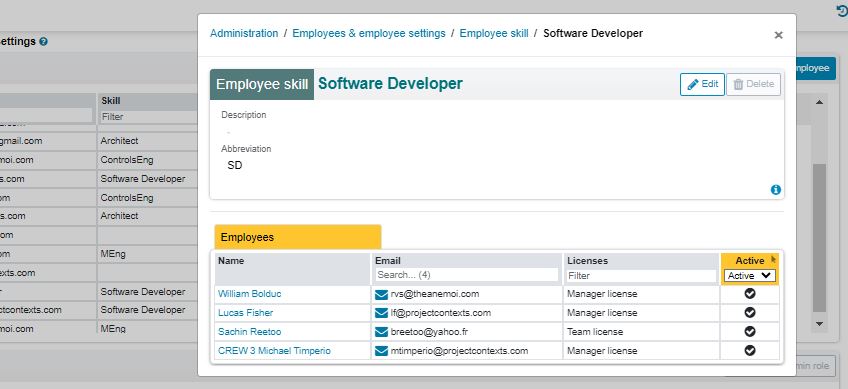
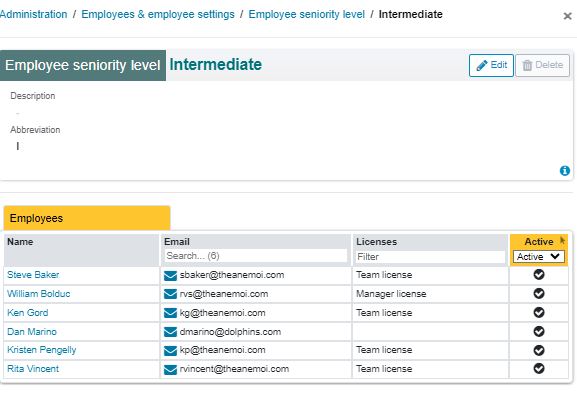
Note that the number of employees within a skill set of seniority level is availabe by clicking on the skill definition or the seniority level name.
¶ Labor Costs (Optional)
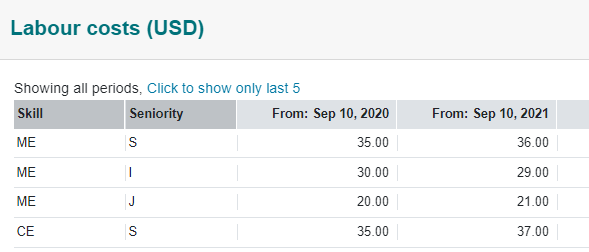
Labor costs use accounting currency, defined in Company Profile./Currencies
Typically, a company's financial or accounting department sets labor costs for at the end of each fiscal year, for the new fiscal year. The calculation process of these labor costs typically is unique to each company and may take into account vacation policies, training, general overhead, etc.
Where ProjectContexts requires the calculation of labor costs (progress reports, cash flow, etc.), it takes the schedule of those costs into account.
¶ PMO Settings
¶ Understanding the Project Management Office (PMO): Roles and Impact
In the project management world, the Project Management Office (PMO) plays a pivotal role in guiding projects towards success. The PMO is not just a function or a role but an integral part of project governance structures that ensures projects are executed in alignment with business goals. Here’s an exploration of what a PMO is, its key roles, and how tools like ProjectContexts can enhance its effectiveness.
What is a PMO?
A PMO is a department or group within an organization that defines and maintains standards for project management. The goal of a PMO is not only to achieve project objectives but also to ensure that these efforts align with the strategic needs of the organization. Depending on the organization, a PMO can operate at different levels of authority and responsibilities, ranging from providing project management support functions to actual direct management of a project.
Roles of a PMO
Standardization and Methodology: One of the primary roles of a PMO is to standardize project-related governance processes and facilitate the sharing of resources, methodologies, tools, and techniques. The PMO ensures that project management standards are consistently applied across all projects.
Strategic Project Management: A PMO plays a critical role in aligning projects with business goals. This involves not just overseeing the projects' progress but also ensuring that they deliver strategic value to the business.
Resource Management: Managing resources effectively across all projects is a key function of the PMO. This includes allocating personnel, budgeting, and managing equipment and facilities as needed across projects.
Quality and Compliance: The PMO is responsible for maintaining quality standards across projects, ensuring they adhere to internal and external requirements, and are delivered successfully.
Performance Measurement: Tracking and measuring project performance against pre-defined metrics and KPIs helps a PMO in assessing the efficiency and effectiveness of the project management process.
Training and Knowledge Management: A PMO facilitates training and professional development for project managers and teams. It also manages the documentation and communication of lessons learned and best practices.
ProjectContexts and the Role of PMO
For PMOs, overseeing multiple projects and ensuring they align with organizational strategy can be a daunting task. This is where ProjectContexts comes into play. ProjectContexts provides PMO roles with a comprehensive overview of all projects through its robust project management tools. This allows PMOs to:
Monitor and track the progress of multiple projects in real-time.
Ensure that all project activities adhere to the organizational standards and methodologies.
Facilitate better resource allocation and management across projects.
Provide a central platform for performance metrics and reporting.
Conclusion
A PMO is crucial for organizations that manage multiple projects, as it ensures that these projects do not just meet their specific objectives but also contribute to the strategic goals of the organization. With tools like ProjectContexts, PMOs can enhance their oversight and control, ensuring that every project is a step towards broader business success. By leveraging ProjectContexts, PMOs can maintain a strategic overview of all projects, ensuring they deliver maximum value and align with the company’s long-term objectives.
¶ PMO Settings
¶ Types: the use in ProjectContexts
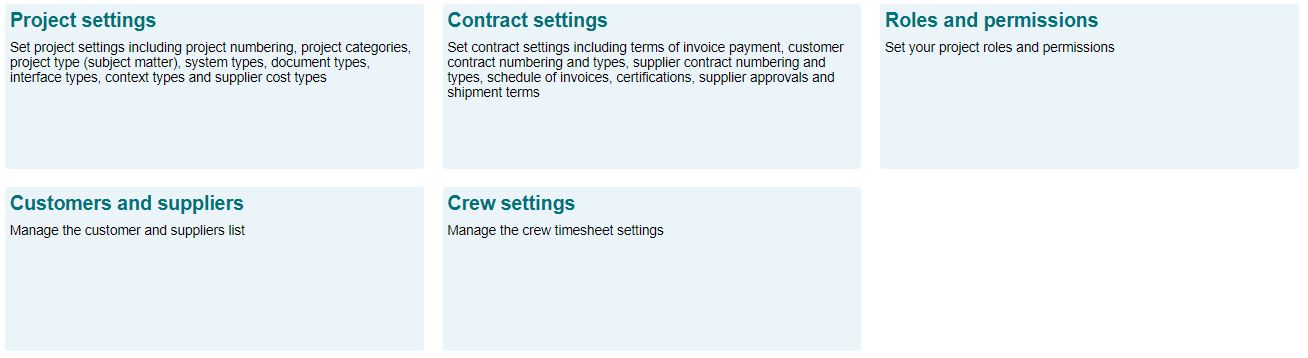
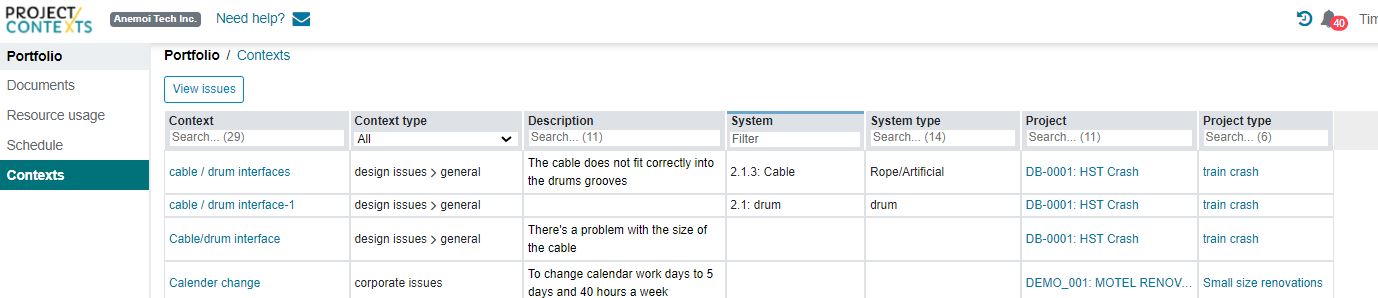
For ease of tracking and filtering in general, the PMO-User can set up project numbering systems, project types and categories, systems types etc. Those standard settings are defined in the Project Settings menu, and used at the project, systems, contexts, etc. level.
For example, in a portfolio contexts search across projects (past and present) the Project manager can search, filter and order for a system type, instead of having to worry what a previous PM could have named that system.
¶ Project Numbering
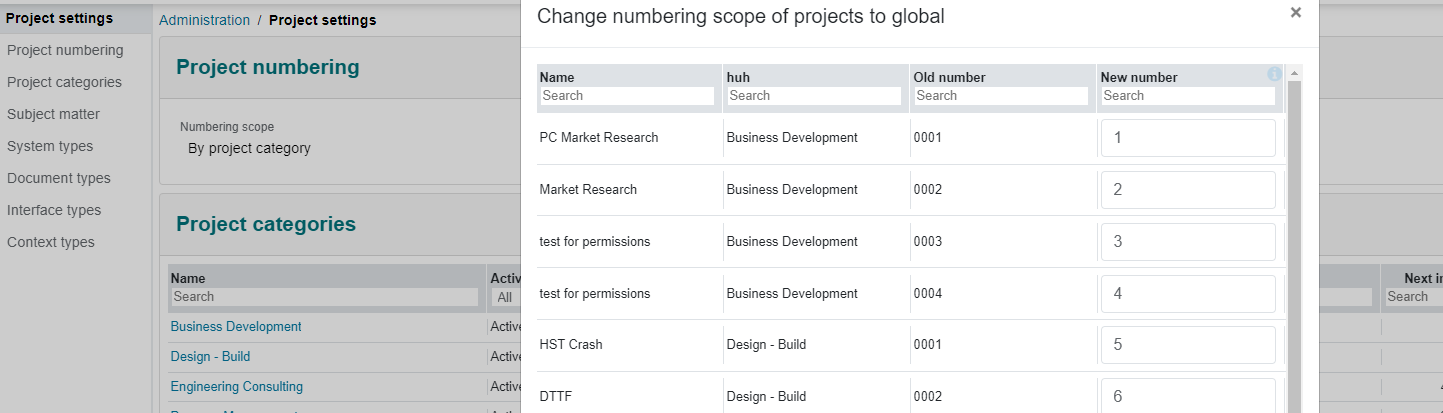
The goal of project numbering is to synchronize ProjectContexts with standard company policy. There are two methods that can be chosen:
- global numbering: independent of project category
- project category numbering: by project category
In both cases, the “next number” can be set as well, in case other projects have started using a different software tool.
The numbering system itself can be changed, but that would mean that all previous project numbers would need to be changed as well.
Dependent on the number of projects, a re-numbering may take a significant amount of time

¶ Project Categories
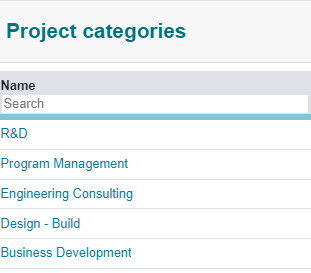
A company's policy might differentiate project categories according to several factors. For example, an internal R&D project may be treated differently from an accounting point of view, a marketing view (i.e. a proposal project), etc.:
¶ Projects Types (subject matter)-Optional
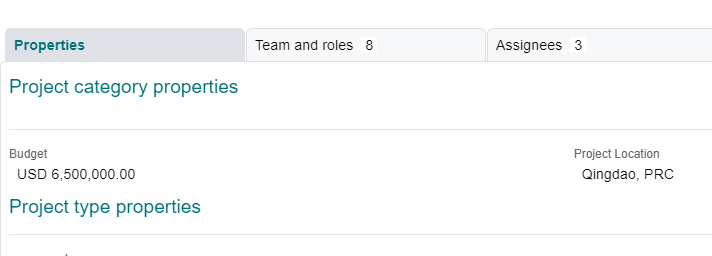
Project types differentiate projects across categories. For example, a kitchen design-build company may have categories such as design-build, design only, and R&D, across these categories there might be “high-end custom design kitchen”, “condo kitchen” etc.
The "property" is the label to be used for a further definition with a project, for example: surface area" ( sq. ft. or m2)
At the project definition phase, the PMO will be required to fill in the value of the surface area.
¶ System Types (optional)
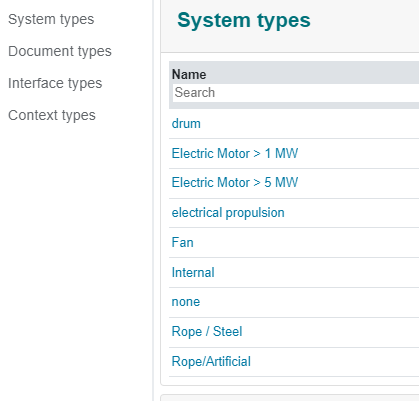
For a variety of purposes, such as generating a costing database, costing, supplier approvals, etc., the company may want to categorize systems, such as motors ( with subsets on <100kW, <1MW, >2 MW.
¶ Document Types
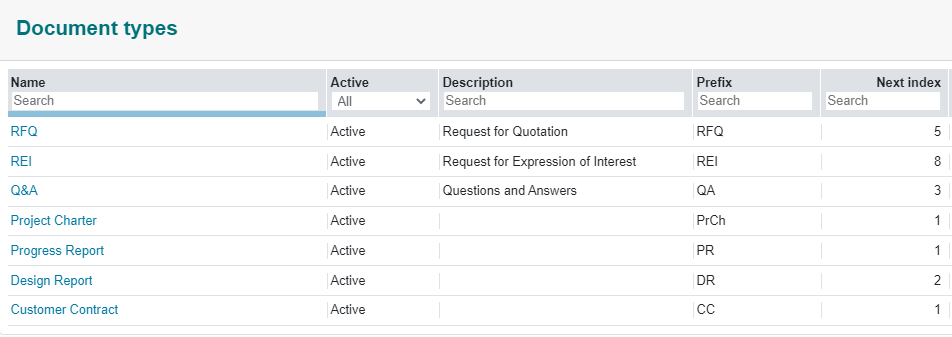
Documents can be tracked via a pre-fix and a numbering system. numbering is specific to the type.
¶ Document subject lines
Click on the document name to customize the document further with subject lines.
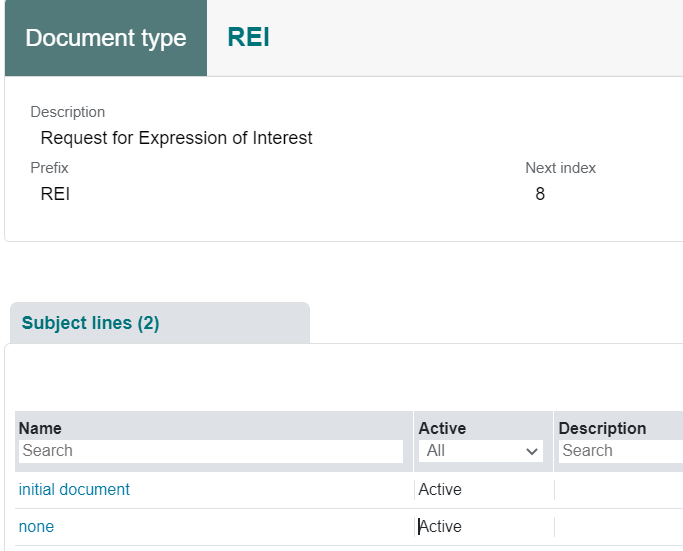
A subject line is a very brief, standard explanation that will display in the list of documents as a dropdown box. They are standardized so that they are easily trackable and can be filtered. Subject lines are optional.
The documents are copied from the User’s internal or external filing system and are not linked or editable.
¶ Interface Types
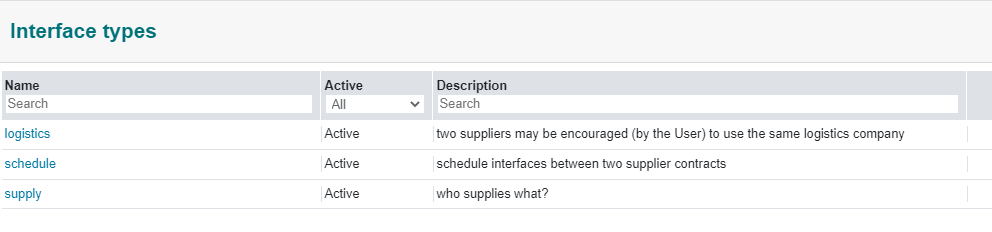
Interfaces are defined where a system is parsed into different supplier contracts.
An example is where a system can only be tested if a subsystem is provided in time for the main system test. ( “schedule” interface).
¶ Contexts and Context Types
A context is a background to an event, a scenario, etc.
Examples could be “customer warning about some safety issue", or a note about a specific project risk that may require a change in corporate procedure, a comment on “lessons learned”, etc.
Contexts of similar types are collected into Context Types. Those types are defined formally as part of corporate policy. They are usually used in the management of the project itself, but could also be the conduit for alerting management about issues that may be important for the company as a whole. Examples are: Market Intelligence, Project Risks, SWOT etc.
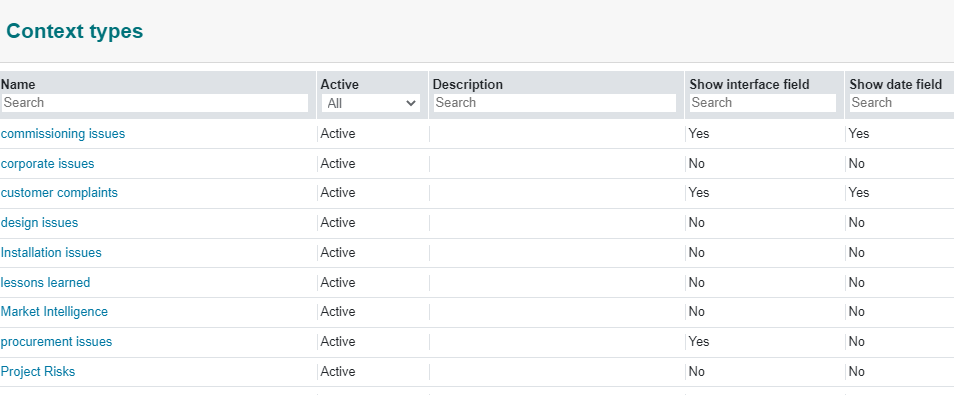
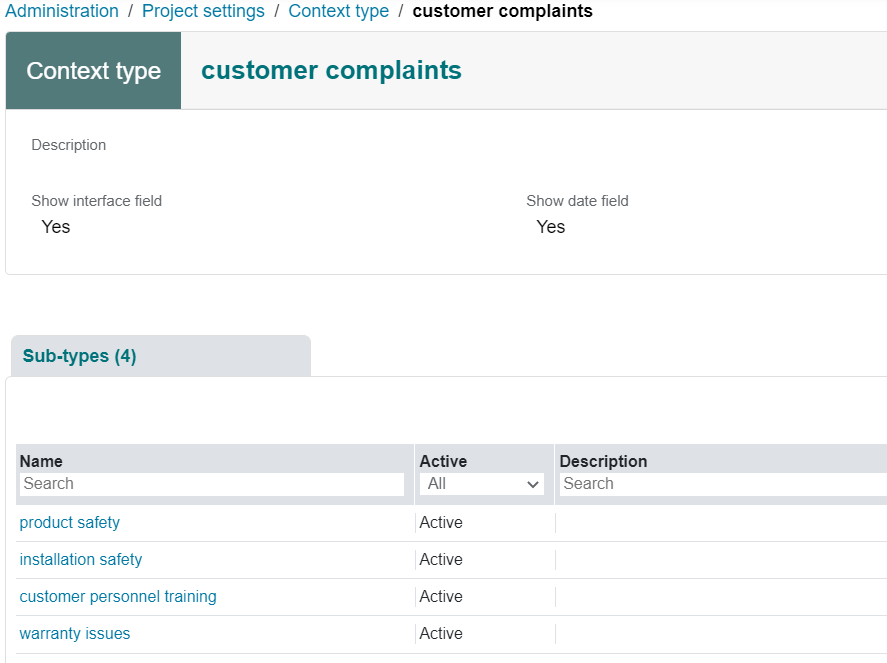
Each type can be sub-divided into sub-types.
¶ Contract Settings
¶ Terms of Invoice Payment
Sometimes called simply “terms of payment” but “Invoice” is added to avoid confusion with "schedule of invoices".
This is the contractually allowed delay between actual payment and the date of the invoice, expressed in days.
¶ Customer and Supplier Contract Types
Some companies make a distinction between types of contract: the type of contract for a consulting project may be different from the type for a design-build contract. Options are similar to those for Project categories.

To prevent confusion, we recommend the words the “PO”, P/O" etc. not be used since “PO” is a reserved word for ProjectContexts.
¶ Customer and Supplier Contract Numbering
Same options as those for Project numbering.
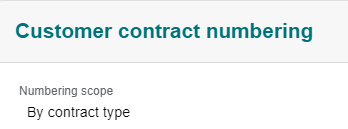
Customer numbering, prefix, etc. as defined here are for internal use only. the actual Customer number is defined by the Customer.
¶ Change numbering scope
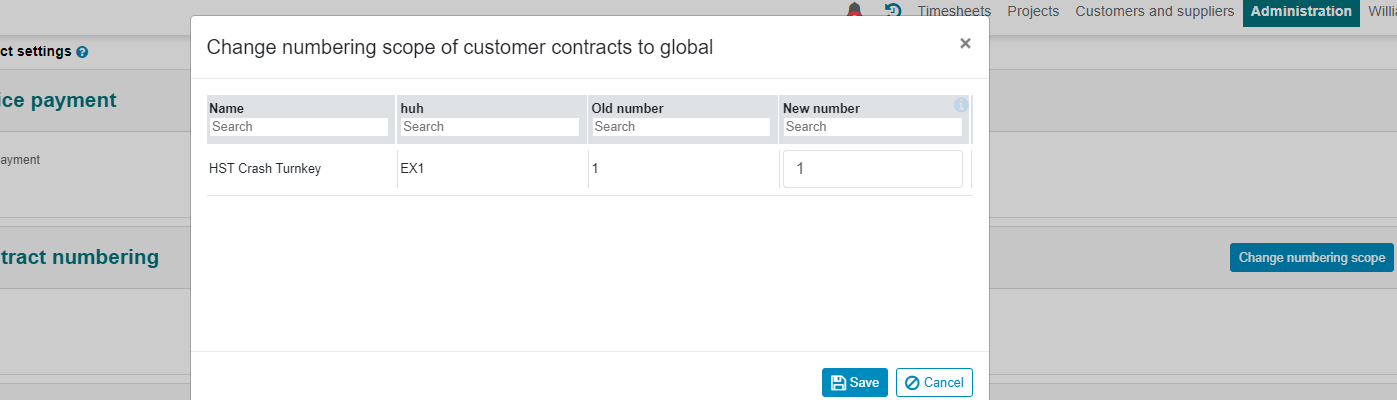
If a mistake was made after some data was already input for some contracts, the numbering scope can be changed from global to by type and vice versa.
¶ change contract number to match accounting system
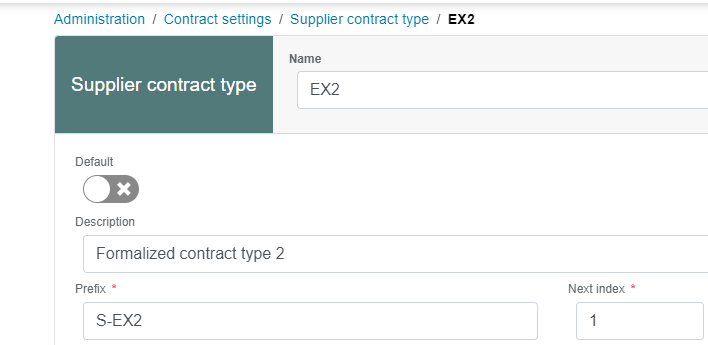
The auto-numbering at ProjectContexts needs to always match the accounting systems numbering system (if any). Because the company may issue many other contracts, the User here ( the AC-Accounting administrator) can change the individual number. For example, the accounting department can set aside a series of EX2 numbers to be used by ProjectContexts. for example S-EX2 2200 to S-EX2 2300; alternatively the department could set aside a pre-fix for contracts related to Project Contexts related.
click on EX2 to change the next index for that type
¶ Schedule of Invoices
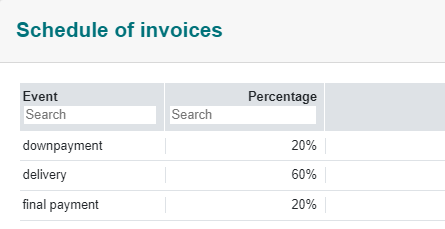
A schedule for invoices defines the conditions for issuing an invoice. These are default values ( as a help to new Users) that will be used initially when a contract is being prepared but the actual schedule of events essentially is a negotiated one and is editable.
¶ Certifications
This setting allows to build up a list of certifications that a supplier sometimes has to meet. (This list is used in a drop-down box in supplier properties).

¶ Supplier approvals
ProjectContexts includes a unique vendor approval process
The process to award a contract typically includes a preliminary process to define a population of vendors that can be considered to receive an RFQ (Request for Quotation), REI (Request for Expression of Interest), etc., and ultimately could be awarded a contract.
The User could apply several criteria for approval.
In this example, ProjectContexts is set up as follows:
There are 3 approval steps:
1.: approved.
2.: in progress.
3.: rejected.
“Award allowed” a contract could be awarded
“Consider allowed”: the supplier could receive an RFQ or similar document, but could not be awarded a subsequent contract unless the status is changed to “approved”.

¶ Shipment Terms
The list of shipment terms will display as a selection dropdown box in the contract detail page.
¶ Roles and Permissions
¶ Roles
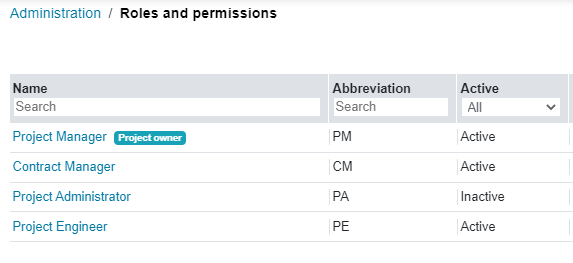
The company can assign roles to certain team members that allow exceptions to basic team permissions.
¶ Role Permissions
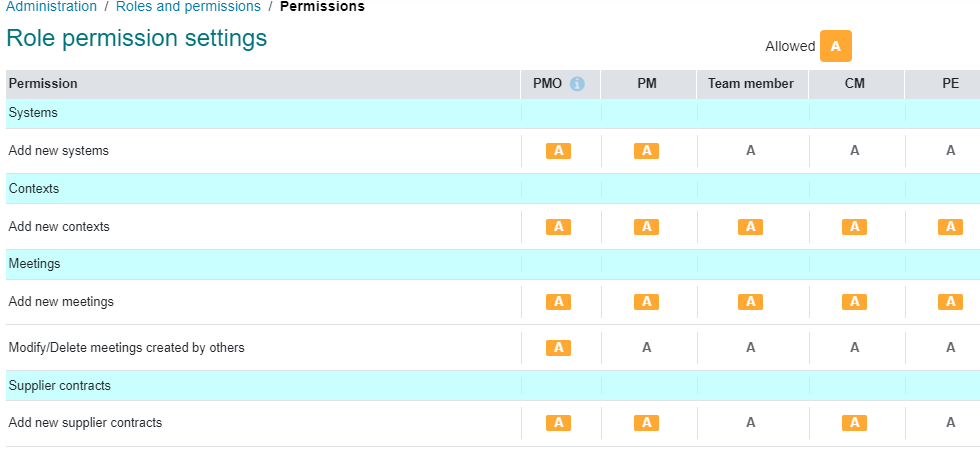
In the example below, a team member has no authority to add a new supplier contract, unless that team member is also assigned to the role of the CM.
The PM assigns roles when the team is selected. The table itself is only editable by the PMO.
¶ Owner Permissions
These permissions are set up in the overall company permissions settings as defaults. In the Project Page of the Project Menu, the Project Manager can change those permissions to reflect his / her own management style.
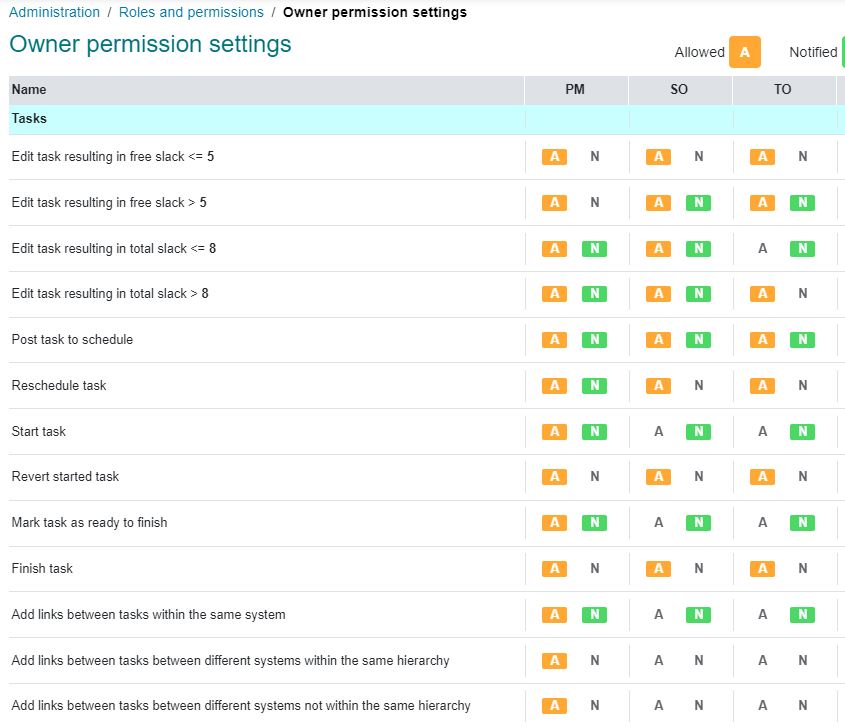
here:
CO, SO and AO are Contexts, Issues, and Action Owner.
SO and TO are Systems and Tasks Owners
¶ Timesheet settings

¶ Other Activities
The timesheet used in ProjectContexts is universal: time can be allocated to non-project-related activities, even to other projects running in the company, such as a marketing drive, etc. Each of those activities require an accounting ID, typically a “project number” specific for the accounting department.
examples:
¶ Time Classifications
ProjectContexts allows time classification on top of a task working time
for example:
- time spent on travel (part of project xxxx).
- time spent in meetings. (could be part of a drive-by management to study how much time is spent on meetings, during a specific month.